Back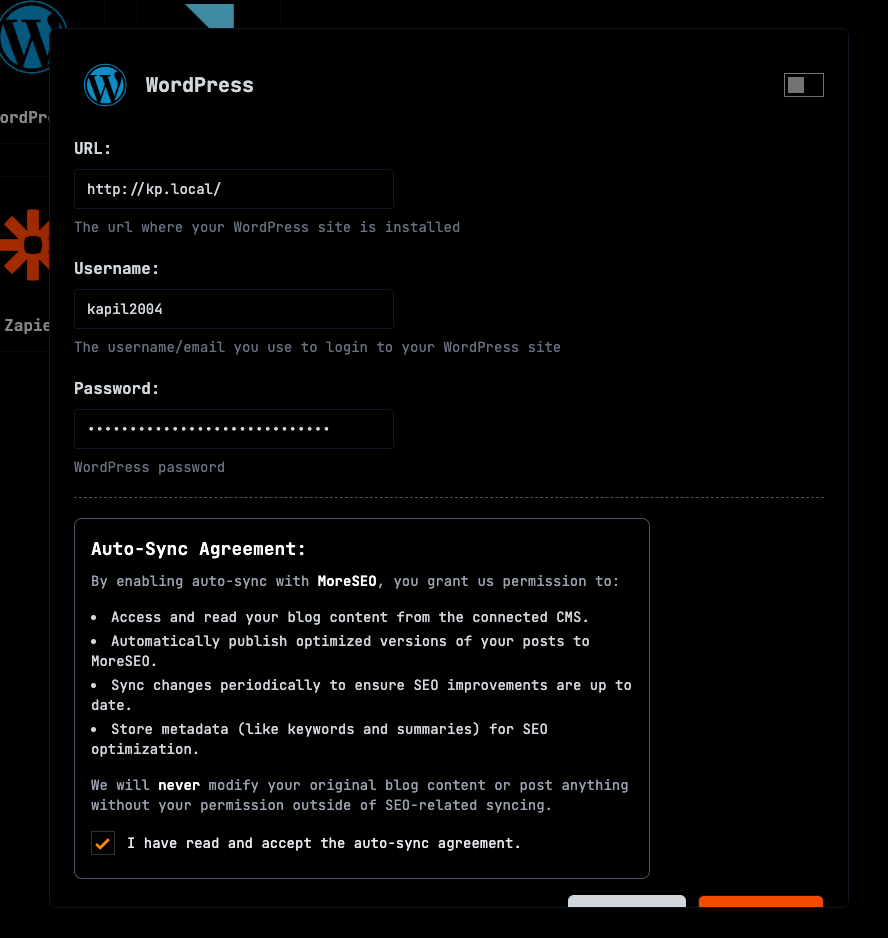
How to connect SearchGrowAI to my wordpress site?
Follow the following instructions:
1. Go to CMS section from the sidebar - then go to wordpress in the lists of CMS
2. Enter your wordpress URL in the input box.
3. Now hit save and you are all set!
4. Don't forget to toggle the switch to enable the connection
5. Install the SearchGrowAI plugin directly from here:Install SearchGrowAI plugin
6. Click "Install Now" on the plugin page & Click "Activate" when the installation completes, You'll be automatically redirected to the plugin setup page .
7.Paste it into the "API Token" field in your WordPress plugin settings & Click "Save" to establish the connection.
8. You are all set.